


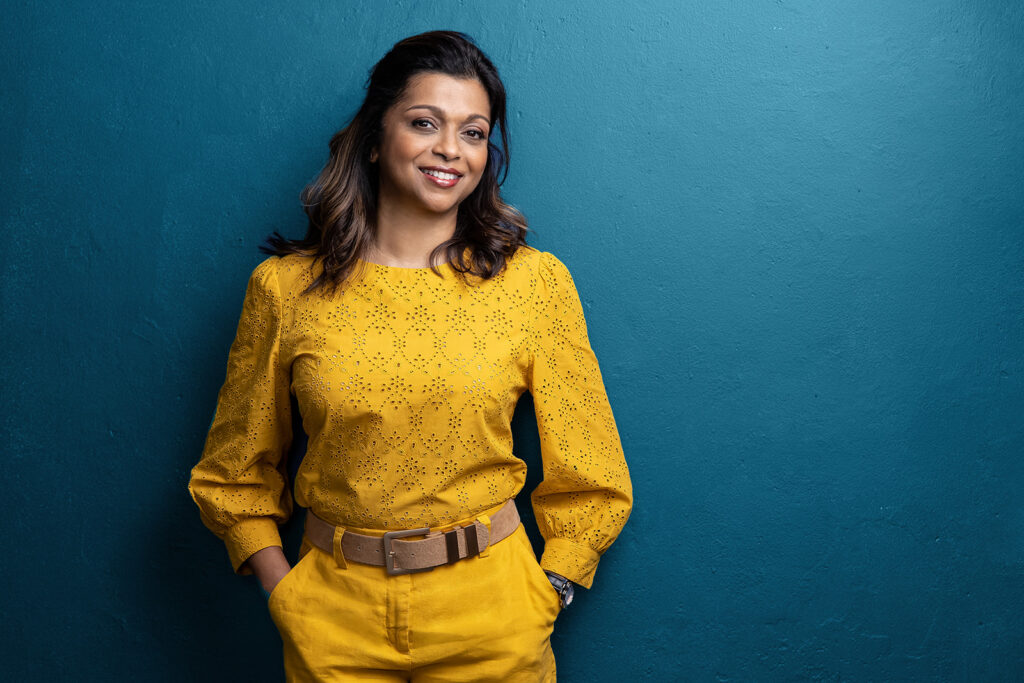


A clear, recent headshot, cropped square, that matches everyone else’s. That’s most of it.
Your staff see each other’s profile photos dozens of times a day: next to every email, in every Teams call and on the intranet. Clients see them too, in meeting invites and email signatures. So a grey silhouette, a holiday snap or a five-year-old photo turns up in all of those places at once.
Here’s how to get them right across the business.
Where do corporate profile photos actually appear?
In more places than the website.
- Outlook and Teams. Every email, chat message, calendar invite and video call shows the person’s photo.
- The intranet and staff directory. Often the first place a new starter looks to work out who’s who.
- Email signatures. A small, web-sized version that clients see every time someone writes to them.
- The website team page and LinkedIn. The public face of the same people.
What makes a profile photo look professional?
The same things that make any headshot work, just at a much smaller size.
- Your face fills most of the frame. At thumbnail size, a full-length photo turns into a tiny figure nobody can recognise.
- The background is plain. Grey, white or a softly blurred office all work. Busy backgrounds turn into clutter.
- The light is soft and even. Harsh shadows look even harsher when the photo is shrunk.
- It looks like you now. A photo from before the new glasses or the new haircut confuses the people who work with you every day.
What size should a profile photo be for Outlook and Teams?
Square, and larger rather than smaller.
Microsoft 365 keeps profile photos in several sizes up to 648 by 648 pixels and makes the smaller versions itself. In Teams and Outlook they’re usually shown as small circles, so the face needs to sit in the middle of the square with a little space around the head. Our guide to headshot framing explains how a circle trims a photo.
Start from a proper square crop of a high-resolution file, not a screenshot of the website.
Why does consistency matter inside the business?

Because people see the whole set at once.
A Teams call or directory page with a mix of studio portraits, phone selfies, cartoons and initials looks disorganised, even when every person in it is excellent at their job. When the photos match, with the same background, light and crop, the business looks like one team. It also helps new starters put names to faces faster.
Our guides to headshot background colours and matching headshots for a remote team cover how to set one look and keep it.
Who should upload the photos, staff or IT?
Usually IT, if you want them consistent.
Leaving it to each person is easy, but the crops end up different, some people choose an old favourite, and a few never upload anything. In Microsoft 365, administrators can update user photos centrally, so a new set can go live for everyone in the same week.
Getting your Sydney team photographed?
We run "Staff Headshot Days" - 30+ people, one consistent look, minimal disruption.
What files should you ask your photographer for?

Three versions of each photo.
- A high-resolution file for print and anything large.
- A web-sized version for bios and email signatures.
- A square crop for profile photos and directories.
At Hero Shot, we deliver team images at 3,000 pixels on the long edge as standard, which covers website use, LinkedIn and most print. If you need a square crop for a staff directory or a specific file size, tell us before the session and we’ll include it in the delivery.
How do you roll out new photos across the company?
All at once, if you can.
- Photograph as many people as possible in one go. Our office headshots checklist covers the space and scheduling.
- Update every platform in the same week. Old and new photos side by side look worse than either set alone.
- Photograph new starters to the same brief. Otherwise the set starts drifting the month after the shoot.
Want an exact price?
Book a free 15-minute consult – no obligation, just a clear quote and a plan.
What about people who don’t want their photo everywhere?
Talk to them early.
Some people are genuinely uncomfortable seeing their face in every inbox. Explain where the photo will appear, and let them see and choose their own image before it goes live. A relaxed session with a photographer who works with nervous people often changes their mind, as our guide to headshots for camera-shy people explains.
If you’re planning a new set of profile photos for your team, get in touch and tell us where they’ll be used. We’ll plan the crops before the shoot, not after.
Found this useful? Make Hero Shot Photography a preferred source on Google.


