




Light grey or white, for most people. Both are neutral, both suit almost any outfit, and both sit comfortably on LinkedIn, a company website or a speaker program.
But most people isn’t everyone. The right background depends on where the photo is going, what you’re wearing and, if you’re part of a team, what everyone else’s photo looks like.
Which background colour suits most headshots?
Grey, followed closely by white.
- Mid to light grey is the safest choice. It doesn’t compete with your face, it works with dark and light clothing, and it sits quietly on almost any website or profile. Our guide to grey background headshots goes into the different shades.
- White looks clean and modern. It’s also the easiest background to place on a white web page.
- Both suit corporate and professional services bios. That’s why they’re what we usually suggest for those roles.
At Hero Shot, our Express session uses a solid white, grey or black backdrop, and the Elite session adds textured backdrops to the options.
When does a white background work best?
When the photo has to blend into a white page.
On a website with a white background, a white headshot background makes the edge of the photo disappear, so you look like you’re standing on the page itself. It’s also the easiest background for a designer to cut out later.
White is less forgiving with clothes, though. Against white, black clothing makes your outline the strongest thing in the frame, so a lighter or mid-tone top keeps the attention on your face. And a white shirt on a white background can blur into one shape.
When is a dark or black background better?

When the photo needs authority or a bit of drama.
Darker tones suit authority-led roles such as legal, finance and consulting, and they work well for executives and speakers. They’re also the natural partner for black and white headshots.
The catch is separation. Dark hair and dark clothes against a dark background can merge into one shape, so the lighting has to work harder to outline your head and shoulders. That’s the photographer’s job, not yours, but it explains why a dark background shot at home rarely looks the same.
Should you use a coloured background?

Only with a reason.
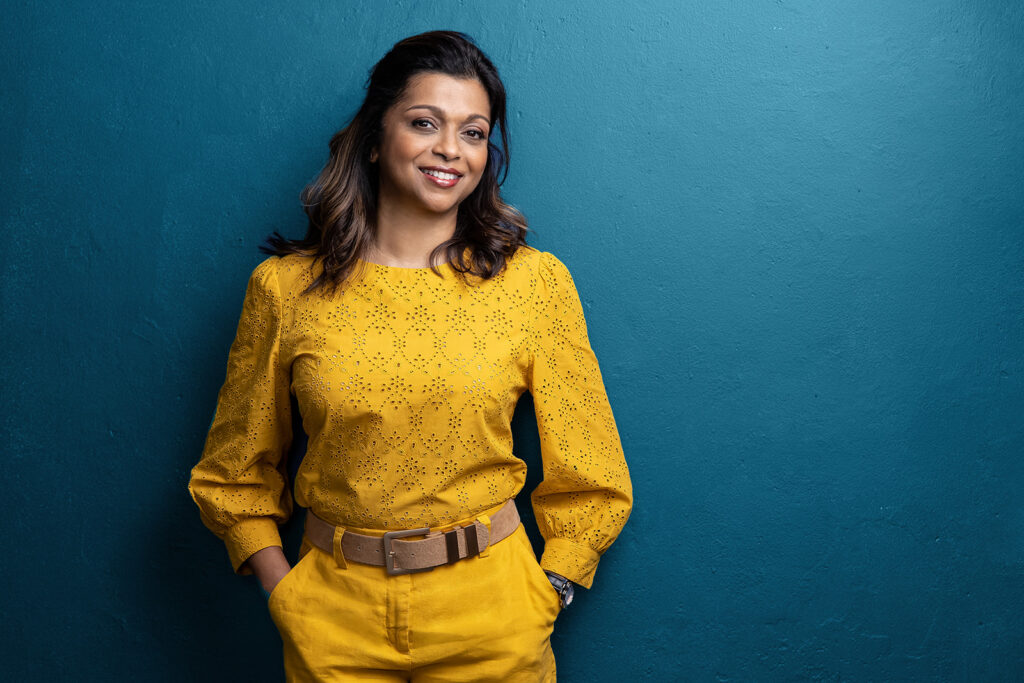
A blue, teal or brand-coloured background can make a headshot memorable and tie it to your company’s look. It works best for creative businesses and personal brands, and when the colour is used across a whole set of photos rather than just one.
There are trade-offs. Strong colours can cast a tint onto your skin, they can clash with your outfit, and they date faster than neutrals. A colour that matches this year’s brand refresh may not match the next one. For men, our guide to male headshot backgrounds covers how background colour and wardrobe work together.
What about a textured or office background?

They feel more personal, but they’re harder to keep consistent.
A textured backdrop, like a painted canvas or a mottled grey, adds depth without showing a distracting setting. An office or outdoor background shows where you work, which suits website about pages and personal branding. Our guide to business website photos covers when those environmental shots earn their place.
The trade-off is control. Offices get renovated, the light changes through the day and backgrounds get busy. For a single headshot that’s fine. For a team that keeps growing, it’s much harder to match.
How should a company choose one background for everyone?
Choose it for the website, then stick with it.
- Start with where the photos will live. Look at the team page, LinkedIn and anywhere else they’ll appear, and pick a background that suits all of them.
- Think about new starters. Whatever you choose, someone will need to match it in two years’ time, and plain backgrounds are the easiest to repeat.
- Keep a record. We note each company’s background, lighting, framing and crop, so new starters can be photographed to match. Remote staff can even be photographed in another city against a matching background.
If your company already has headshots, we can often match them. We review the existing background, lighting and retouching first, then confirm how closely it can be reproduced. There’s more on that on our corporate headshots for companies page.
Want an exact price?
Book a free 15-minute consult – no obligation, just a clear quote and a plan.
Can the background be changed after the shoot?
Sometimes, within limits.
A plain background can be cleaned up, evened out or swapped for another plain colour, especially when there’s a clear edge between you and what’s behind you. Hair against a busy background is the hardest part to get right. Our guide to headshot retouching explains what’s realistic.
It’s still easier to choose the right background on the day than to fix it afterwards. If you’re not sure which one suits you, get in touch before your session and tell us where the photo is going. And if the background on your current headshot already suits the places you use it, there’s no need to change it.
Found this useful? Make Hero Shot Photography a preferred source on Google.


