


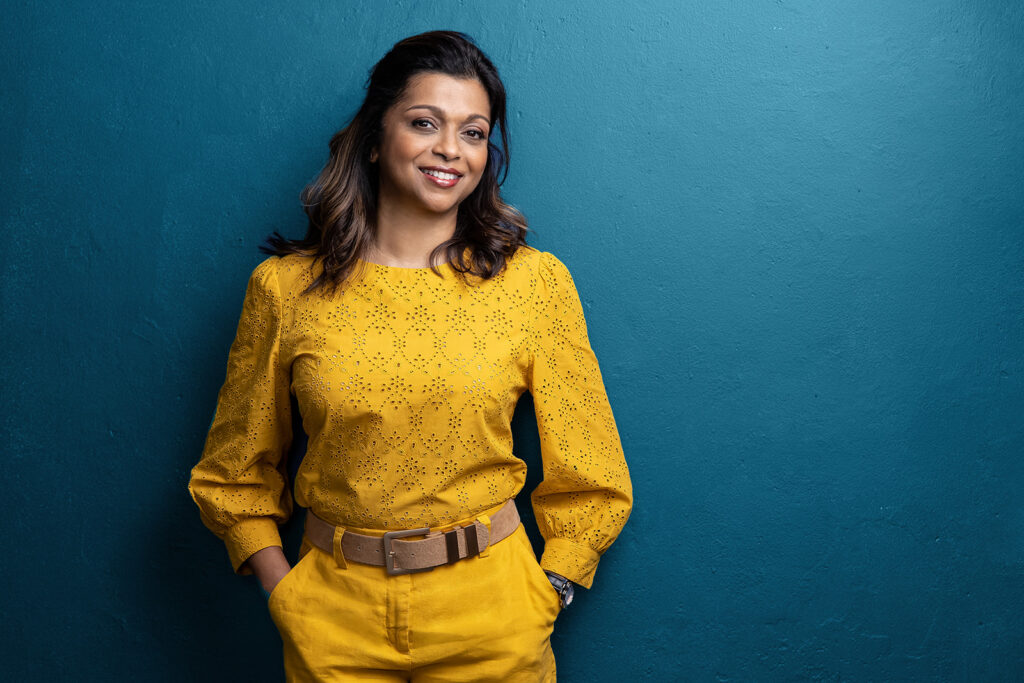


There’s no official rulebook for headshots. When an employer, a conference, a directory or an agent asks for “a professional headshot”, they almost always mean the same short list: a recent, sharp, head-and-shoulders photo of just you, facing the camera, against a plain background.
Anything beyond that list will be in their brief. If it isn’t, it should be.
So the useful move is to know the usual list and ask about the rest before you book, crop or upload anything.
Is there an official headshot standard?
No. Only identity documents, like passports, come with legal rules.
An Australian passport photo has to meet the Australian Passport Office’s specifications. It must be 35 to 40 mm wide and 45 to 50 mm high, with a face of 32 to 36 mm from chin to crown. The background has to be plain white or light grey, your expression neutral with your eyes open, and the photo unretouched and less than six months old.
That’s an identity document, and a good corporate headshot would fail several of those tests.
A professional headshot has no regulator. Each organisation writes its own requirements, and most of them borrow the same few habits. Our guide to headshot sizes puts passport, print and online dimensions side by side.
The usual headshot requirements

Nine things, and they barely change between requests.
- It’s recent. It still looks like you to someone meeting you for the first time this week.
- It’s head and shoulders. Your face fills most of the frame, with a little of your shoulders and clothes below.
- You’re facing the camera. Both eyes are visible, even if your body is turned slightly.
- The background is plain or uncluttered. There’s no pot plant growing out of your head and no bar menu behind you.
- You’re the only person in it. A cropped-out partner’s shoulder at the edge of the frame gives the game away.
- Your face hasn’t been changed. That rules out filters, heavy smoothing and AI tools that reshape your features.
- There are no sunglasses or hats. The exception is anything worn for religious or medical reasons.
- It’s in colour. Black and white is for when they ask for it.
- It’s a large, sharp file. That means a JPG exported from the original, not a screenshot of your Instagram.
If your photo ticks all nine, it’ll pass almost any general request.
The headshot framing guide shows what head and shoulders looks like in practice.
Why does every brief ask for the same things?
Because the photo has one job: helping a stranger recognise you.
Think about where it ends up. It could be a team page, a speaker bio in a conference program, a partner profile on a law firm’s website, or a Teams call where your face sits in a circle the size of a thumbnail. In every one of those, someone’s trying to match a face to a name before they’ve met you. Anything that gets in the way makes that harder: a hat brim shadowing your eyes, a busy street behind you, a photo from three haircuts ago.
Shrink your photo to the size of a profile circle and look again.
If you can still tell it’s you, and nothing else in the frame competes for attention, it’s doing its job. Most of the usual list is just that test written out as rules.
Where requests genuinely differ

They differ on shape, size, background and crop.
Microsoft 365, which runs Outlook and Teams, stores profile photos up to 648 x 648 pixels. They’re square, with your face centred, so a tall portrait gets cropped by the system whether you like it or not. LinkedIn also wants a square upload and then shows it as a circle, and it’s worth checking the current LinkedIn photo dimensions before you upload. A website team page might want portrait shapes, all cropped at the same point on the chest.
Background is the other big one. Some companies set a colour so the whole team matches, and a lovely photo on the wrong backdrop will stick out on the page like a guest at the wrong wedding. If you’re choosing one yourself, our notes on headshot background colours explain how to pick one that suits most uses.
If one photo has to work across your website, email and directories, the corporate profile photo guide covers keeping it consistent everywhere.
None of this is on the usual list, because none of it is usual.
What should you ask when the brief is vague?
Ask these seven questions before you book or upload.
- Where will it appear? A website, a printed annual report and a conference app can each need something different.
- What shape or crop do they want? Square, circle, portrait or landscape changes how much space you need around your head.
- What’s the minimum pixel size? Print and large banners need far more than an email signature does.
- Is there a set background colour? Some companies specify one so the team matches.
- Colour or black and white? It’s usually colour, but it’s better to check than to guess.
- What file format and size limit apply? Some upload forms reject anything over a few megabytes.
- When’s the deadline? That decides whether you’re cropping an existing photo or booking a shoot.
A short email to whoever sent the request usually gets all seven answered.
It’s quicker than a reshoot.
Are the rules different for actors and executives?

The list is the same, but it’s applied more strictly.
Casting directors want a photo that looks like you walking into the room today: current hair, current age, nothing that’s been flattered away. Anything else wastes an audition, which is why actor headshots are judged harder on being current than almost any other kind. Executive photos tend to come with a longer brief from communications or investor relations, because they end up in annual reports, press releases and award entries. Our guide to what an executive headshot should look like covers what those briefs tend to add.
Same list, higher stakes.
Do you need a new headshot to meet the requirements?
Not if a recent photo you already have ticks the list.
If it was taken in the last couple of years, still looks like you and meets the nine points above, crop or resize it from the original file and send that. Don’t pull a copy off your website or LinkedIn. Those versions have been compressed for the web and are often too small for print or a large directory listing. We’d suggest most professionals update about every two years anyway, so an old photo is a more common problem than a missing one.
Book a new one when the brief asks for something your current photo can’t give you. That might be a different background, a look that matches the rest of the team, or a file big enough for print.
That’s when it’s worth it.
Want an exact price?
Book a free 15-minute consult – no obligation, just a clear quote and a plan.
One good original covers most briefs
A large original file can be cropped to fit almost any request.
At Hero Shot, our team images are delivered at 3,000 px on the long edge. That’s large enough to crop to a square for Outlook, a circle for LinkedIn or a portrait for a website without the photo going soft, and a square crop for directories is available on request. Keep the original somewhere you’ll find it again in two years.
The next request will want a slightly different shape, and you’ll want it handy.
If you’ve been handed a brief that doesn’t quite make sense, send it to us and we’ll tell you whether the photo you already have will do.
Found this useful? Make Hero Shot Photography a preferred source on Google.


