


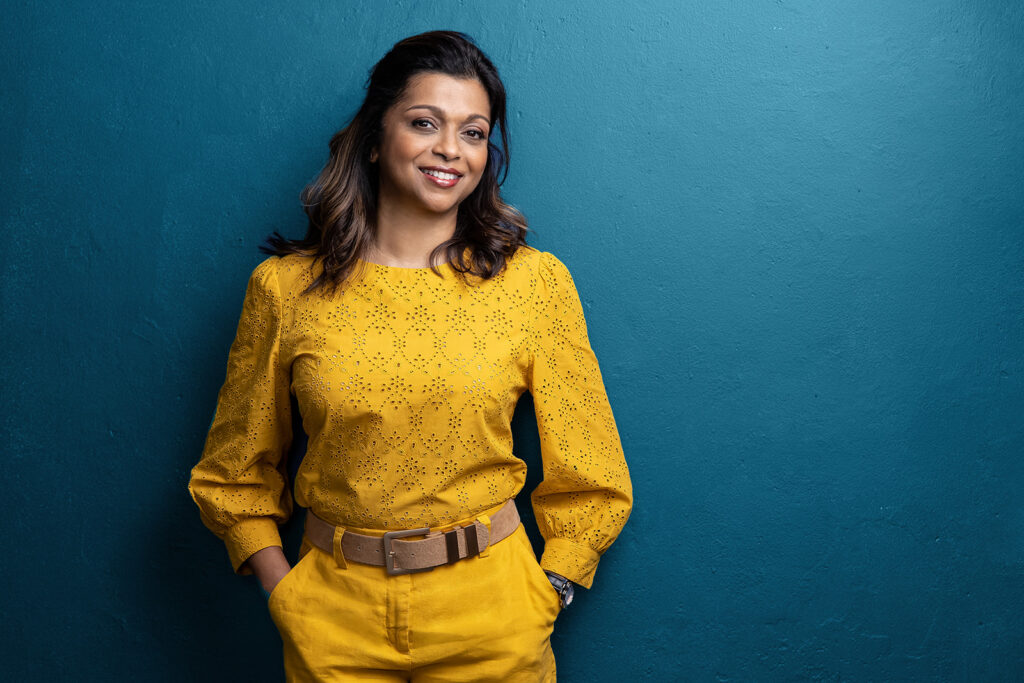


Sometimes, if the team is small, the photos are for internal use and someone is willing to take it seriously. For a public team page with 20 or 30 people, it’s harder than it looks.
The difficulty isn’t taking one good photo. It’s taking thirty that match: the same light, the same background, the same crop and the same height, often spread over several days as people come and go from the office.
Here’s when doing it yourself works, how to do it properly, and when it’s worth handing over.
When does doing it yourself make sense?
When the stakes are low and the team is small.
- A handful of people. Five matching photos are far easier than thirty.
- Internal use only. A staff directory, Outlook or Teams is more forgiving than your website.
- A stopgap. Something tidy until a proper shoot is booked.
- A good spot in the office. A large window and a plain wall make all the difference.
Our guide to corporate profile photos covers what internal tools like Outlook and Teams need.
How do you take team headshots properly in the office?

Set it up once, then don’t touch it.
- Find soft window light. Face people towards a large window, with a plain wall behind them and no direct sun.
- Use a tripod at eye level. Step back a couple of metres and use the phone’s 2x or 3x lens, which flatters faces far more than the standard wide lens up close.
- Mark the floor. Tape where each person stands and leave the tripod in place, so every photo is taken from the same spot.
- Shoot at the same time of day. Window light changes a lot between morning and afternoon.
- Take several frames each. Let people pick their favourite, which helps with nerves.
Then crop everyone the same way. Our guide to headshot framing explains how.
Why is consistency the hard part?
Because small differences add up on a team page.
Light changes through the day and with the weather. People are different heights. Phones process each photo slightly differently. And the new starter who joins in March gets photographed in a different room by a different person. Each difference is small, but side by side on a page they make the team look disorganised.
Mixed sets are the number one problem we’re called in to fix. Our guides to refreshing team headshots and matching headshots for a remote team cover how to keep a set consistent over time.
What does a professional photographer add?

Mostly control, direction and speed.
- Lighting that doesn’t depend on the weather. We bring the full lighting kit to your office, so the last photo of the day matches the first.
- Direction. Most of the difference between an average headshot and a good one is expression, and that’s much easier with someone guiding you.
- Consistent framing. Nobody looks larger or smaller than a colleague.
- Retouching. Stray hairs, shine and creases are tidied, without changing anyone’s face.
- Pace. An on-site session typically photographs four to six people an hour.
Are there options in between?
Yes, and they’re often the smartest choice.
- Retouch what you already have. If your existing photos are reasonable, they can be retouched onto an identical background, which is often the quickest way to tidy a messy team page.
- Use virtual sessions for remote staff. At Hero Shot, we guide people through a 15-minute session over FaceTime using their own phone, then retouch the result with a matching background.
- Combine it with an event. A headshot booth at a conference or end-of-year party photographs everyone who steps in. Our guide to hiring a photographer for your work Christmas party covers how.
When is it worth booking a photographer instead?
When the photos are public and the team is more than a handful.
Your website team page, LinkedIn, proposals and tender documents are all places where clients judge you before they meet you. For a team of six or fewer who can all get to a studio, a studio session is usually the better value. For fifteen or more, it’s usually worth having us come to you. We need at least four people for a location shoot, and our office headshots checklist covers what your office needs.
If you’re not sure which way to go, get in touch and tell us how many people need photos and where they’ll be used.
Found this useful? Make Hero Shot Photography a preferred source on Google.
Want an exact price?
Book a free 15-minute consult - no obligation, just a clear quote and a plan.


