


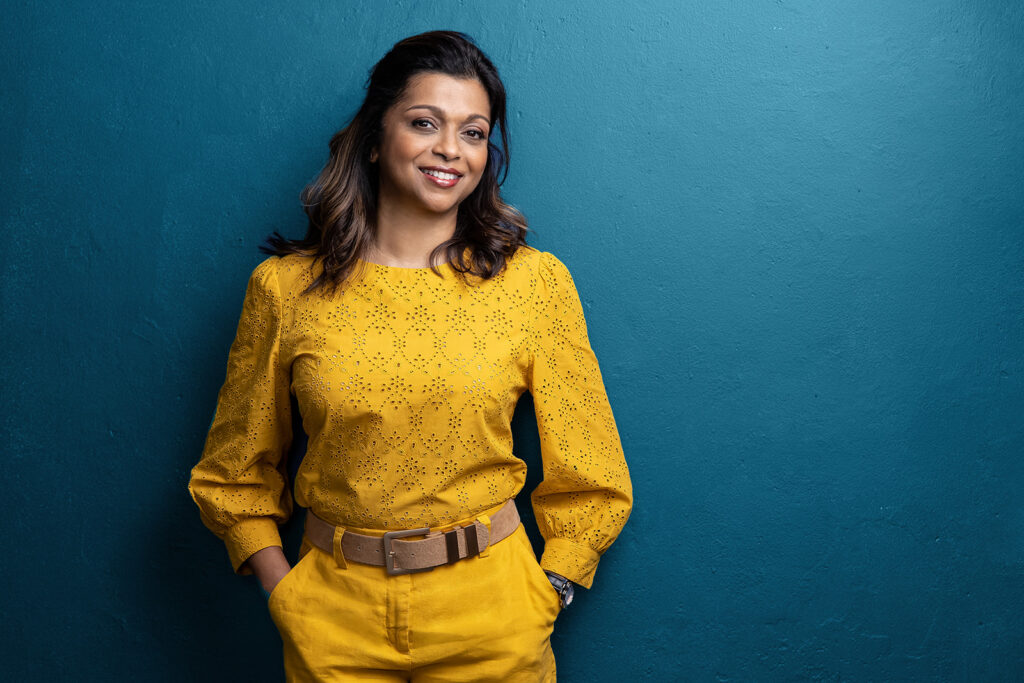


Most business websites don’t need more photos. They need real ones.
The handshake over a laptop. The diverse group laughing at a whiteboard. The city skyline that could be any city at all. Visitors have seen them a thousand times, and they’ve learnt to look straight past them.
What they don’t skip is your people, your place and your work. Here’s what to photograph, page by page, and what you can safely leave out.
Why don’t stock photos work on a business website?
Because people ignore them.
The Nielsen Norman Group’s eyetracking research found that visitors ignore stock photos of generic people and purely decorative images, but treat photos of real people as content worth studying.
Their most striking example was a company’s team page. One person spent 10% more time looking at the staff portraits than reading the bios, even though the bios took up 316% more space (Nielsen Norman Group).
Your clients want to see who they’ll actually be dealing with. A stranger in a stock photo can’t tell them that.
What photos does each page of your website need?
Go page by page. It turns a vague “we need new photos” into a short list you can actually shoot.
Home page
One strong image that shows your people or your work, wide enough to sit behind a headline.
- Shoot it wide, with breathing room. Your designer will put text over part of it, so the important bit can’t sit right where the words go.
- Keep the subject near the middle. Banner images get cropped hard on phones, and a person on the far left of a desktop banner often disappears on mobile.
About and team pages
This is the page people study, so it’s where consistency matters most.
- Everyone gets a headshot in the same style. Same background, same light, same crop. Nine different photos from nine different years look like nine different companies.
- Add a team portrait if you can get everyone together. It does a different job from the headshots: it shows how the place feels.
- Plan for the person who starts next month. A good corporate photographer records the setup, from backdrop to lighting to camera height, so new starters can be photographed to match later.
Service pages
One photo per service, showing the service being done by your people.
A consultant in a workshop. An engineer on site. An accountant across the table from a client. If a service doesn’t have an obvious visual, photograph the conversation where it happens.
Contact and location page
Show people where they’re going.
The front door, the reception desk, the building from the street. It sounds dull, and it’s the most practical photo on the site for anyone visiting for the first time.
Careers page
Real moments from a working day, because the people reading it are trying to picture themselves there.
Blog and news
A headshot for every author, matching the team page, so a reader knows who’s talking.
How many photos is that, really?
Add it up for your own site: one hero image, one per service, a headshot for each person on the team page, a team portrait and a handful of the workplace.
For most businesses that list is shorter than the stock library they’d otherwise scroll through, and every image on it is doing a job.
If you want to plan further ahead, think about where else the same photos will end up: proposals, LinkedIn, tenders, your email signature and the next round of social posts. Our personal branding photography guide covers how to size an image library around the jobs it has to do.
Should your team photos all match?

Yes. It’s the single biggest difference between a team page that looks professional and one that looks thrown together.
Matching doesn’t mean everyone looks the same. It means the photography is the same, so the people stand out rather than the inconsistencies.
That’s also why the setup record matters so much. We cover how that works in what a corporate photographer should actually do, and how we photograph whole teams on our corporate headshots for companies page.
Getting your Sydney team photographed?
We run "Staff Headshot Days" - 30+ people, one consistent look, minimal disruption.
Candid or posed?
Both, because they do different jobs.
Posed headshots belong on the team page and in bios. Candid workplace photos belong on the home, service and careers pages, where the point is to show the business in motion.
Candid shouldn’t mean unplanned, though. The best “natural” photos come from a shot list: who’s in the meeting, which room, what’s on the screen, and whether the whiteboard still has last quarter’s numbers on it.
For group shots that don’t look like a police line-up, there’s more on our team portraits page.
What does your web designer need from the photos?

More than most photographers are told.
- Large original files. The site can make small versions from big ones, but never the other way around.
- Crops for each shape. Wide for banners, square for team grids, and a bit of space around each headshot so it survives a circle crop.
- Compressed images on the live site. Big photos slow pages down, so make sure someone compresses them before they go live.
- Sensible file names and alt text. Name files after what’s in them, and describe each photo in its alt text so screen readers and search engines know what it shows.
Shoot after the designer has roughed out the layout if you can. It’s much easier to fill a known space than to squeeze a photo into one it was never framed for.
Want an exact price?
Book a free 15-minute consult – no obligation, just a clear quote and a plan.
Can you do it yourself?
Sometimes.
If you’re a sole trader, a decent phone, a window and a friend can cover your own headshot and a few photos of where you work. That’s a perfectly good place to start, and it beats a stranger from a stock library.
It gets harder when there’s a team to match, several pages to fill or a rebrand to launch, because consistency is the part that’s hard to fake.
That’s what our business branding photography is for. We normally start by talking about how you want people to feel when they land on your website, then photograph your team, your workplace and the work itself, in packs sized to what the site needs.
If you’d like a hand working out your own shot list, get in touch and we’ll tell you what we’d shoot first. And if the photos you’ve already got are real, current and consistent, keep them.
Found this useful? Make Hero Shot Photography a preferred source on Google.


