


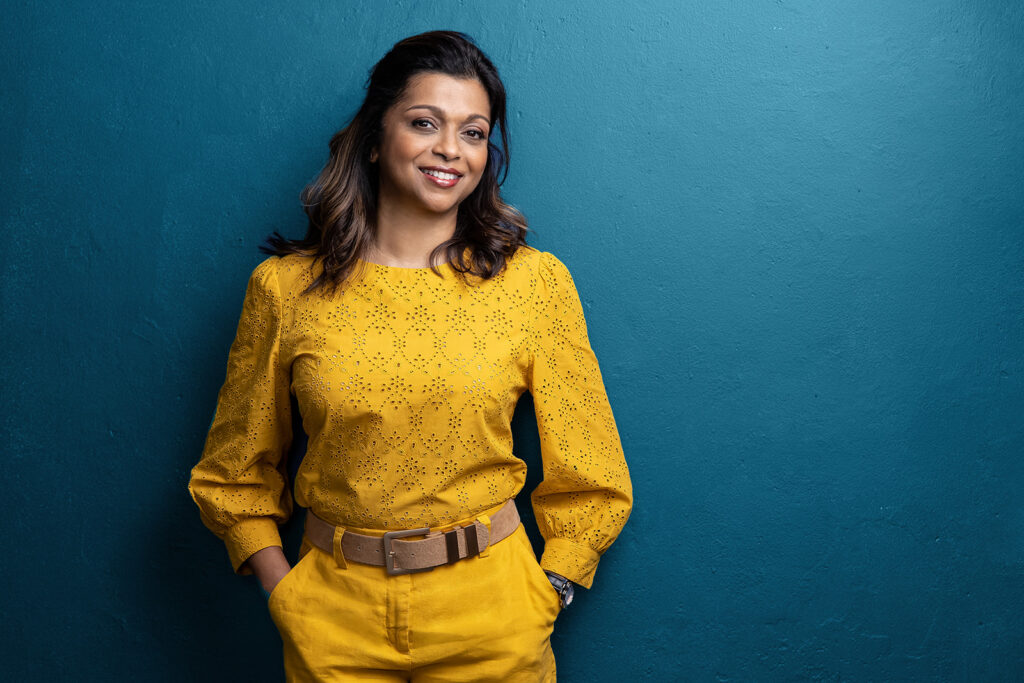


Usually not. One good headshot can work across LinkedIn, Instagram, Facebook and your website, as long as it’s cropped well and still looks like you.
Using the same face everywhere has a real benefit: people recognise you. Someone who met you on LinkedIn should know it’s you when your name pops up on Instagram.
But there are good reasons to have a second, more relaxed photo, especially if you use social media for your business.
Can one headshot work on every platform?
Yes, if it passes a few tests.
- It still works when it’s tiny. LinkedIn, Instagram and Facebook all show profile photos as small circles, so your face needs to fill most of the frame. Our guide to headshot framing explains how the circle trims a photo.
- The background is simple. A busy background turns into clutter at thumbnail size.
- It looks like you today. A photo from five years and two haircuts ago confuses people more on social media than anywhere else.
- The expression suits everyone who’ll see it. A warm, natural smile works almost everywhere, while a very serious corporate expression can look cold on Instagram.
When should your social media photo be different?

When the people on that platform expect something different.
- LinkedIn is for colleagues, clients and recruiters. A polished headshot fits best here.
- Instagram is more personal. A relaxed photo, maybe outdoors or in colour-rich light, often feels more natural.
- Facebook leans towards friends and family. A personal photo is usually fine, unless you use it to promote your business.
If you run your business through your personal accounts, though, your social media photo is part of your brand, and it’s worth treating it that way.
Can a casual photo hurt your professional image?

On LinkedIn, it can.
A cropped wedding photo or a holiday snap in sunglasses says you didn’t think it mattered, and that’s the impression people carry into a meeting with you.
It works the other way, too. A stiff, formal headshot on a personal Instagram can feel like you’re selling something. The safe middle ground is a relaxed frame from a proper shoot: you’re clearly put together, but you don’t look like you’re at your desk.
Should your profile photo match across platforms?
If you use social media professionally, mostly yes.
It doesn’t have to be the identical file. A relaxed frame from the same shoot keeps the lighting, the look and, most importantly, your face consistent, while still suiting a less formal platform. What causes confusion is three completely different photos from three different years. Our LinkedIn headshots guide covers the LinkedIn side in more detail.
What about photos for your posts?
A profile photo is one image. Posting regularly takes many more.
Feed posts, stories and website updates need a mix of headshots, working shots and behind-the-scenes moments, often in vertical crops. That’s where a personal branding session earns its keep. At Hero Shot, our sessions are delivered with crops for each use: square for LinkedIn, 4:5 vertical for social and wide for your website. A half-day session can cover up to six months of social media content. Our personal branding page has the options.
How should a headshot be cropped for social media?
Square for your profile photo, vertical for your posts.
- Profile photos need a square crop. Keep your face in the middle, with a little space around your head so the circle doesn’t clip your hair or chin.
- Feed posts suit a 4:5 vertical crop. It takes up more of the screen than a square, so a vertical version of your headshot is worth having.
- Don’t crop yourself out of a group photo. It rarely leaves enough detail, as our guide to turning a regular photo into a headshot explains.
- Upload a large original. LinkedIn recommends 400 by 400 pixels or larger, and our LinkedIn photo size guide has the rest of the numbers.
Want an exact price?
Book a free 15-minute consult – no obligation, just a clear quote and a plan.
How often should you update it?
Whenever it stops looking like you.
A new haircut, new glasses or a few years passing are all good reasons. When you update one platform, update the others at the same time, so you look the same everywhere. Our guide on how often to update your headshot covers the timing.
If your current headshot already works as a small circle and still looks like you, keep using it everywhere. If you need a set for social media, or a relaxed version to go with your LinkedIn photo, get in touch and tell us where you post.
Found this useful? Make Hero Shot Photography a preferred source on Google.


